Intermediate Parameters
Traditionally, Argo workflows has supported input parameters from UI only when the workflow starts, and after that, it's pretty much on autopilot. But, there are a lot of use cases where human interaction is required.
This interaction is in the form of providing input text in the middle of the workflow, choosing from a dropdown of the options which a workflow step itself is intelligently generating.
A similar feature which you can see in jenkins is pipeline-input-step
Example use cases include:
- A human approval before doing something in production environment.
- Programmatic generation of a list of inputs from which the user chooses. Choosing from a list of available databases which the workflow itself is generating.
This feature is achieved via suspend template.
The workflow will pause at a Suspend node, and user will be able to update parameters using fields type text or dropdown.
Intermediate Parameters Approval Example
- The below example shows static enum values
approvalstep. - The user will be able to choose between
[YES, NO]which will be used in subsequent steps.
apiVersion: argoproj.io/v1alpha1
kind: Workflow
metadata:
  generateName: intermediate-parameters-cicd-
spec:
  entrypoint: cicd-pipeline
  templates:
    - name: cicd-pipeline
      steps:
          - - name: deploy-pre-prod
              template: deploy
          - - name: approval
              template: approval
          - - name: deploy-prod
              template: deploy
              when: '{{steps.approval.outputs.parameters.approve}} == YES'
    - name: approval
      suspend: {}
      inputs:
          parameters:
            - name: approve
              default: 'NO'
              enum:
                  - 'YES'
                  - 'NO'
              description: >-
                Choose YES to continue workflow and deploy to production
      outputs:
          parameters:
            - name: approve
              valueFrom:
                  supplied: {}
    - name: deploy
      container:
          image: 'argoproj/argosay:v2'
          command:
            - /argosay
          args:
            - echo
            - deploying
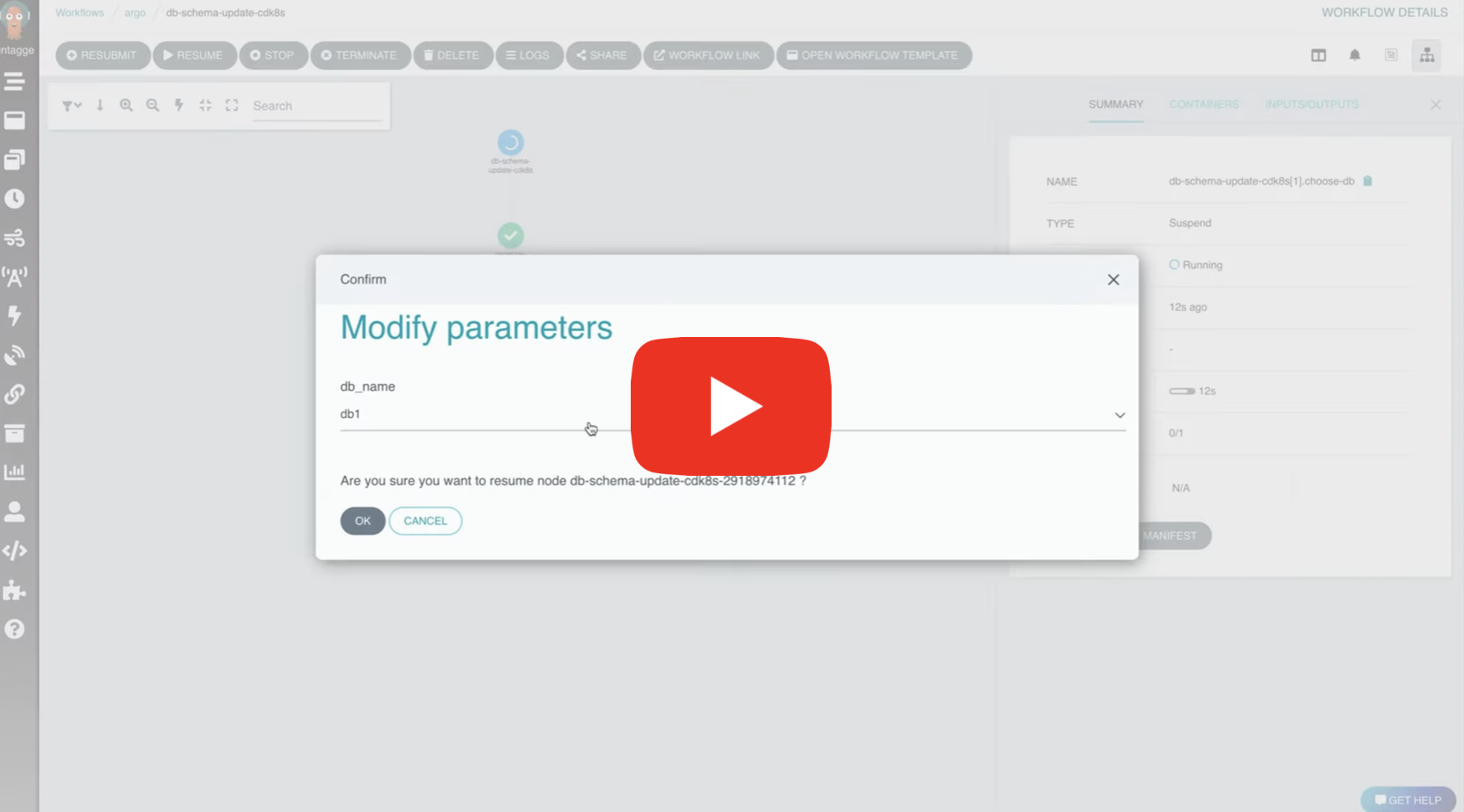
Intermediate Parameters DB Schema Update Example
- The below example shows programmatic generation of
enumvalues. - The
generate-db-listtemplate generates an output calleddb_list. - This output is of type
json. - Since this
jsonhas akeycalledenum, with an array of options, the UI will parse this and display it as a dropdown. - The output can be any string also, in which case the UI will display it as a text field. Which the user can later edit.
apiVersion: argoproj.io/v1alpha1
kind: Workflow
metadata:
  generateName: intermediate-parameters-db-
spec:
  entrypoint: db-schema-update
  templates:
      - name: db-schema-update
        steps:
          - - name: generate-db-list
              template: generate-db-list
          - - name: choose-db
              template: choose-db
              arguments:
                parameters:
                  - name: db_name
                    value: '{{steps.generate-db-list.outputs.parameters.db_list}}'
          - - name: update-schema
              template: update-schema
              arguments:
                parameters:
                  - name: db_name
                    value: '{{steps.choose-db.outputs.parameters.db_name}}'
      - name: generate-db-list
        outputs:
          parameters:
            - name: db_list
              valueFrom:
                path: /tmp/db_list.txt
        container:
          name: main
          image: 'argoproj/argosay:v2'
          command:
            - sh
            - '-c'
          args:
            - >-
              echo "{\"enum\": [\"db1\", \"db2\", \"db3\"]}" | tee /tmp/db_list.txt
      - name: choose-db
        inputs:
          parameters:
            - name: db_name
              description: >-
                Choose DB to update a schema
        outputs:
          parameters:
            - name: db_name
              valueFrom:
                supplied: {}
        suspend: {}
      - name: update-schema
        inputs:
          parameters:
            - name: db_name
        container:
          name: main
          image: 'argoproj/argosay:v2'
          command:
            - sh
            - '-c'
          args:
            - echo Updating DB {{inputs.parameters.db_name}}
Some Important Details
- The suspended node should have the SAME parameters defined in
inputs.parametersandoutputs.parameters. - All the output parameters in the suspended node should have
valueFrom.supplied: {} - The selected values will be available at
<SUSPENDED_NODE>.outputs.parameters.<PARAMETER_NAME>